

1. Install Shopify POS on your phone
PopUp runs inside the Shopify POS app. If you don’t have it yet:- Open the App Store (iPhone) or Google Play Store (Android)
- Select the official app by Shopify Inc.
- Install it and log in with your Shopify account
2. Install PopUp from the Shopify App Store
- Go to the PopUp: Sell by Weight listing in the Shopify App Store
- Select Add app
- Review the permissions and select Install
3. Add the PopUp tile to your POS home screen
PopUp appears as a tile on your Shopify POS home screen. You need to add it once before your first market day.- In Shopify Admin, select Point of Sale in the left navigation
- Select Settings
- Under Configure, select POS app
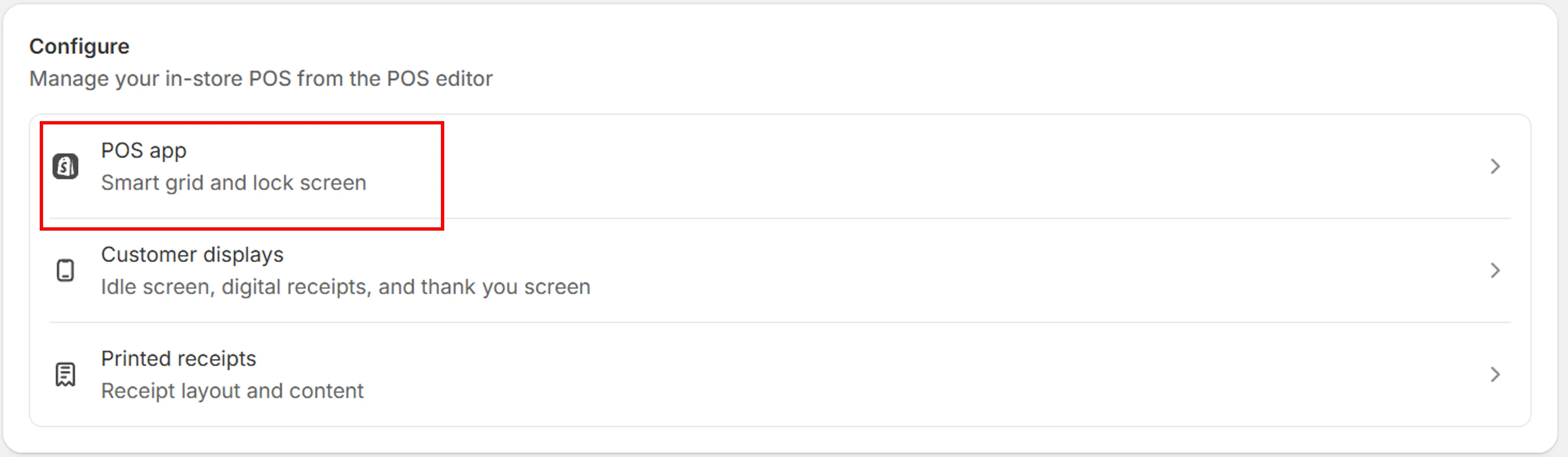
- Select the page where you want the PopUp tile to appear
- Select + Add tile
- Under Embedded apps, select PopUp - Sell by Weight
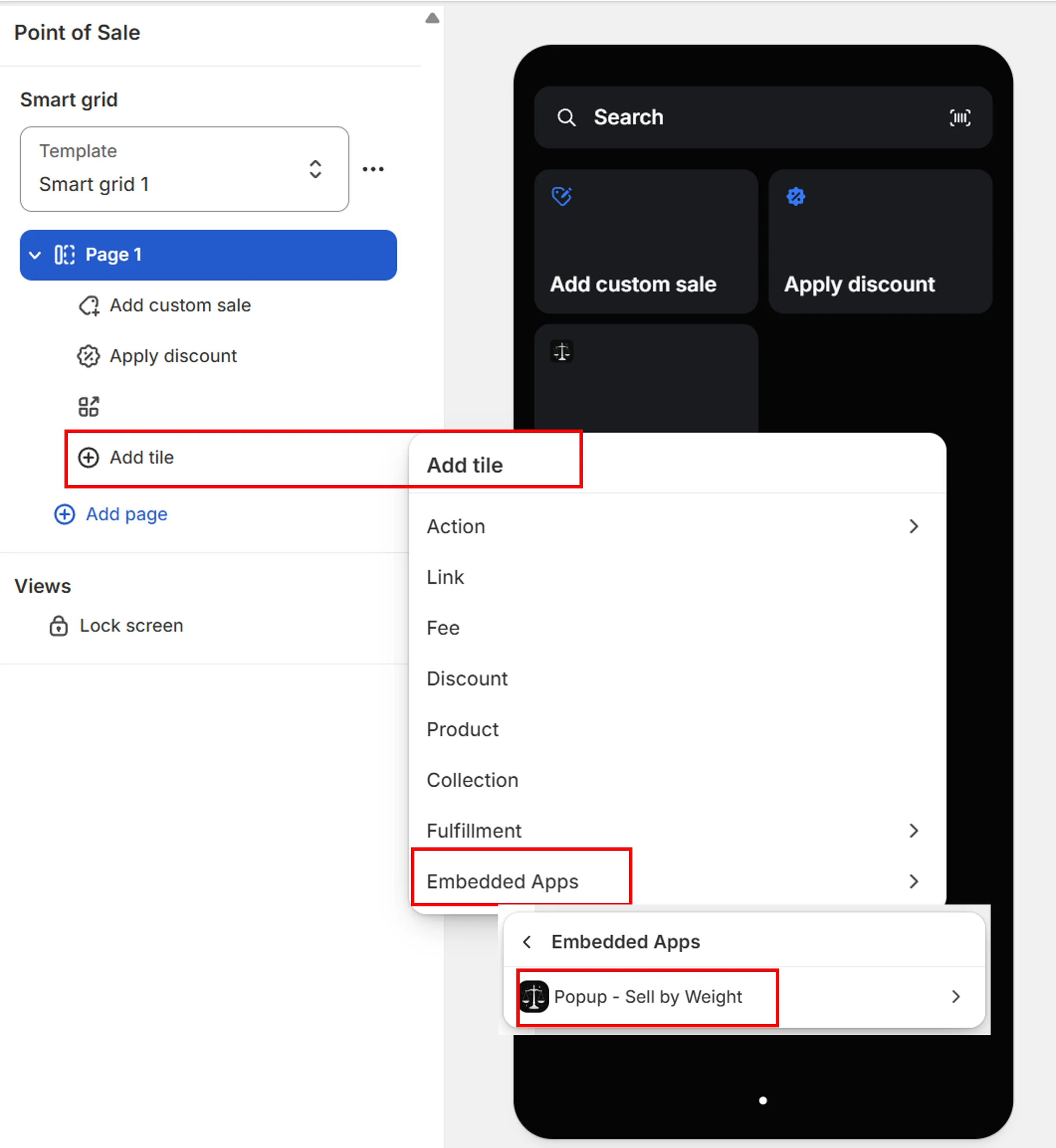
- Select Save
Next steps
Choose your plan
Free, Season Pass, or Annual
Set up your catalog
Add products and categories